Building a digital product today requires more than just functionality. Users expect intuitive interfaces, seamless navigation, and a consistent experience across devices. Yet many products still launch with poor usability, and pay the price in user drop-off, support overhead, and damaged reputation.
You may now have guessed why so many products fail despite having great features. Digital product creators can anytime improve their product outcomes by investing in proper UX/UI design services. For the detailed breakdown, please keep reading.
1. The Role of UX/UI Design in Modern Digital Products
UX/UI design has two separate but connected parts. UX stands for user experience, and it covers how logical and easy your product feels to use. UI stands for user interface, and it covers the visual side like colors, buttons, and typography. The two work together to shape what users think of your product from the first second they see it.
Users today have high expectations. They will leave a confusing product within seconds and try a competitor instead. Good UX/UI design helps users complete tasks faster, makes them trust your product more, and reduces the number of errors they make along the way.
What Good UX/UI Actually Delivers
- Reduced cognitive load, users spend less mental effort figuring out where to go next.
- Faster task completion, clear layouts and logical flows help users do what they came to do.
- Lower error rates, thoughtful design prevents users from making mistakes in the first place.
- Stronger trust, polished interfaces signal professionalism and reliability.
2. How Digital Product Creators and Consultants Approach User Needs
Understanding your target audience is the first and most important step. Digital product teams use several methods to do this properly. User interviews help teams understand what real users want and where they get stuck. Surveys collect data from a larger group to confirm or challenge early assumptions. Competitor analysis shows what design patterns users already expect. Analytics from existing products reveal exactly where users drop off or struggle.
User journey mapping comes after the research phase. Journey maps are visual diagrams that show every step a user takes from first contact to completing a key action. They expose gaps and friction points that internal teams usually miss because they are too close to the product.uce the risk of expensive redesigns later in development.
3. UX/UI Design Services as a Driver of Product Success
Professional UX/UI design services translate product strategy into functional, accessible interfaces.
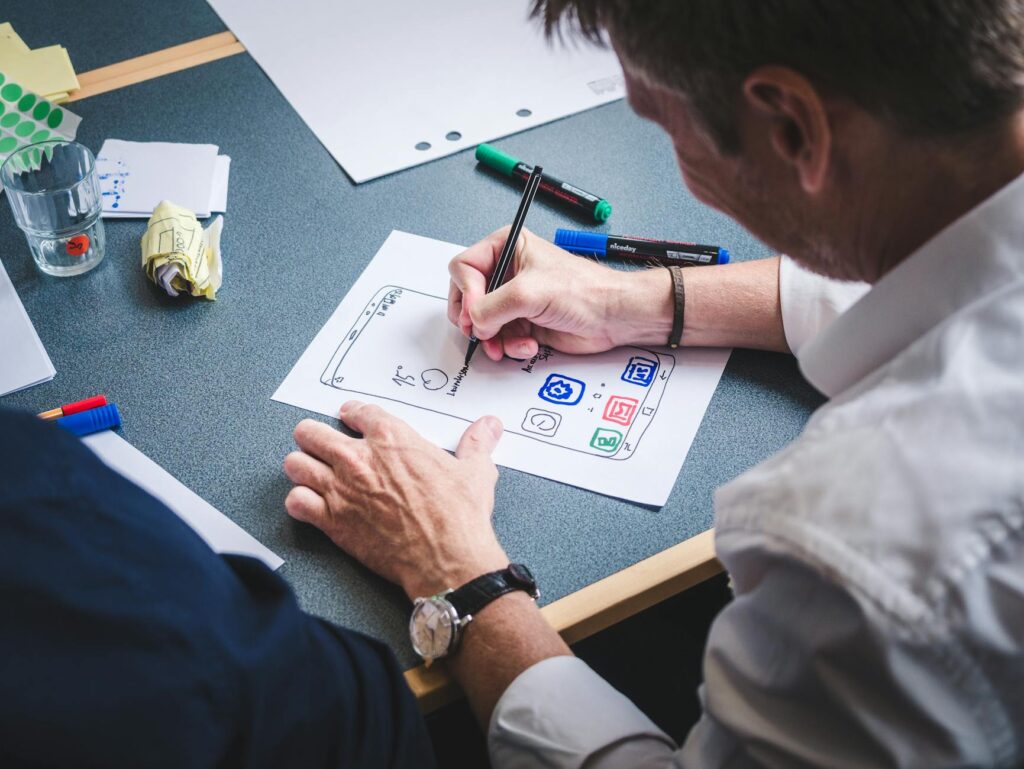
Professional UX/UI design services move through clear stages. Discovery comes first, where the team aligns on goals and user needs before touching any design tools. Information architecture follows, and it organizes the product content in a way that matches how users think. Wireframes come next, and they are simple blueprints that map out layout and features without any visual styling. Prototypes come after wireframes, and they are interactive mock-ups that let you test the experience before any code is written. Visual design is applied after testing, and it brings in branding, color, and typography. A design system is the final major deliverable, and it documents all reusable components so the product stays consistent as it grows.
Products that follow this process consistently see better conversion rates, lower churn, and fewer support requests from confused users.
4. Collaboration Between Design and Development Teams
Designers and developers need to work closely from the beginning of a project, not just at the handoff stage. Developers can flag technical constraints early if they are involved in design reviews. Shared tools like Figma give developers direct access to design specs without relying on long email chains. A design system reduces arguments about how components should look or behave. Regular review sessions between both teams catch problems before they become expensive to fix.
Digital product consultants often act as the bridge between design and development. Their job is to make sure the final product matches the original design intent without compromising on usability.
5. Common UX/UI Mistakes and How to Avoid Them
Even experienced product teams fall into predictable traps. Recognizing these patterns early can save significant time and budget.
| Common Mistake | Why It Happens | How to Avoid It |
|---|---|---|
| Designing for yourself | Teams assume they are typical users | Ground decisions in user research, not internal opinion |
| Skipping usability testing | Seen as expensive or time-consuming | Test early with wireframes, before development begins |
| Overloading screens with features | Feature requests accumulate without prioritization | Use progressive disclosure; surface only what users need at each step |
| Ignoring mobile users | Desktop-first habits in teams | Design mobile-first; test on actual devices throughout |
| Inconsistent design patterns | No design system in place | Establish a component library early and enforce its use |
| Treating accessibility as optional | Lack of awareness or deprioritization | Build accessibility into the design process, not a final check |
6. How to Choose a UX/UI Design Partner
Not all UX/UI design services are equal. When selecting a design partner, digital product creators and consultants should evaluate candidates across several dimensions, not just portfolio aesthetics.
Process transparency is the first thing to check. Design partners should clearly explain how they move from research to final deliverables. A vague process usually means inconsistent output.
Domain experience matters more than a pretty portfolio. Partners who have worked on similar products already understand your users and their context.
Handoff quality separates good partners from average ones. Deliverables should include proper documentation, design specs, and a component library, not just finished screen designs.
Post-launch thinking is a sign of a serious partner. Design systems and documented components are far more valuable than one-off deliverables that cannot scale.
7. Key Takeaways
Good design reduces development waste by catching usability problems before they become code. Research-driven design produces interfaces that match real user behavior. Collaboration between design and development prevents quality from degrading at the handoff stage. Accessibility and consistency are business requirements, not optional extras. Choosing the right design partner with a clear process is as important as the design output itself.
Products that invest in UX/UI design outperform those that treat it as a secondary concern. Design quality is a real competitive advantage when users have high expectations and short patience.